
Instant quote forms for contractors who still quote from spreadsheets.
Turn your pricing rules — materials, labor, markup, and add-ons — into a website quote form that gives customers a price range and sends you a qualified lead.
No credit card required · Embed on any website · Control how much pricing customers see
Already have an account? Log in
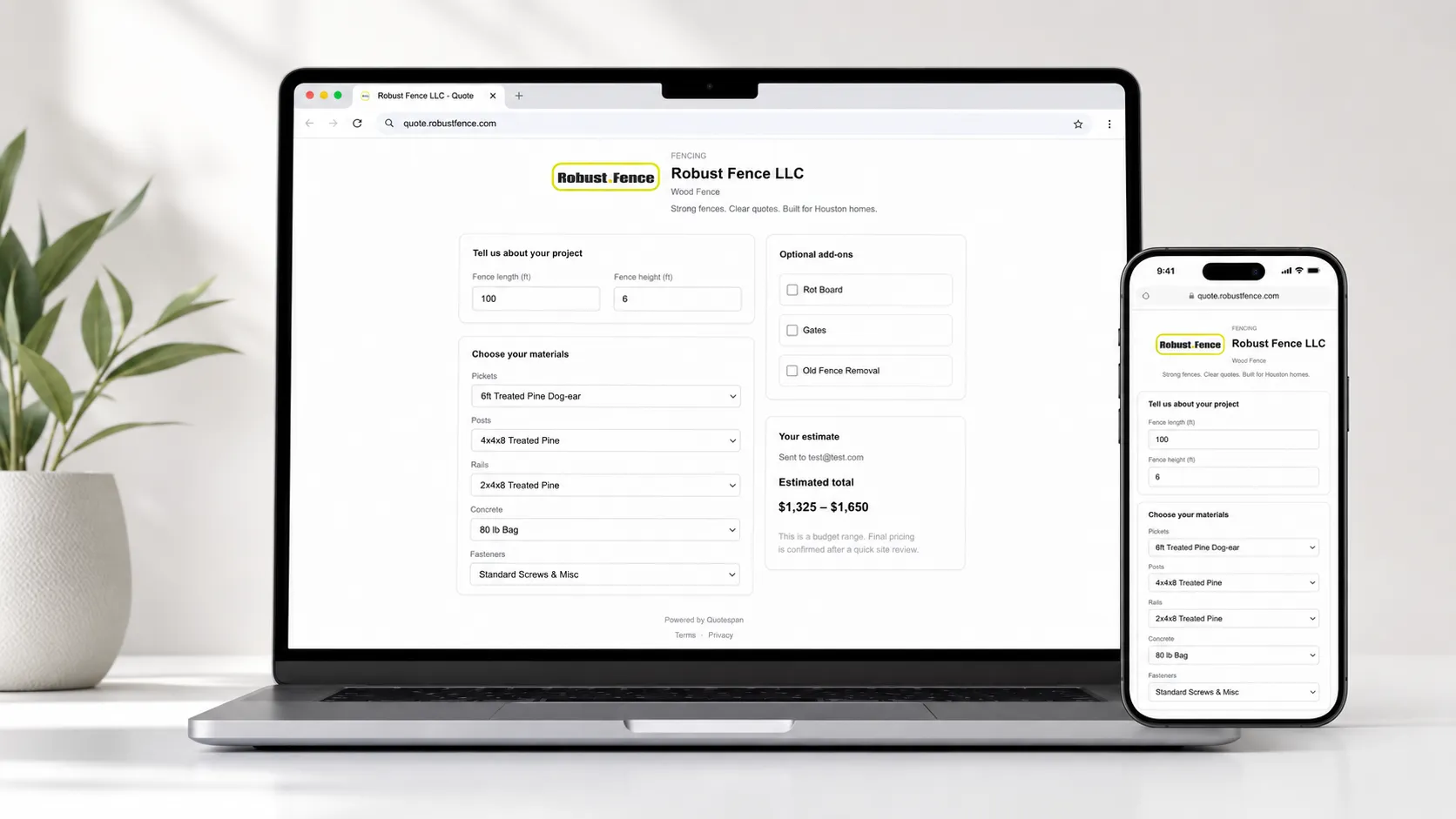
Live demo
Try a sample contractor quote form
See how a customer can answer a few questions, get a price range, and submit their contact info for follow-up.
Built for contractors who price repeatable jobs from rules
How it works
From spreadsheet to embeddable quote form in an afternoon.
Build your pricing rules
Set up materials, labor, waste, markup, and conditional add-ons once. The same rules drive every quote, every form.
Embed the quote form
Drop the form on your website or share a public link. Customers answer a few questions and get a price or range.
Receive a qualified lead
Each submission lands in your inbox with the project details and the priced quote attached. Follow up with context.
Control how much pricing you reveal
Not every lead needs to see an exact number. Quotespan lets you choose how pricing is shown so you can qualify serious customers without giving away your full pricing structure.
Live
Exact price
Show the calculated quote immediately when the customer finishes the form.
Live
Price range
Show a rounded low-to-high estimate so customers see a ballpark without your full numbers.
Live
Reveal after contact
Hide the quote until the customer enters their name, phone, and email — qualify before you reveal.
Live
Manual review
Collect the project details first; you follow up with a final quote on your own terms.
Replace slow manual quoting
Stop losing leads while a customer waits for a number.
Before Quotespan
The old way
- Customer asks, "How much would this cost?"
- You ask follow-up questions manually.
- You calculate it in a spreadsheet.
- You reply hours or days later.
- The customer may already be gone.
After Quotespan
The new way
- Customer answers your form.
- Quotespan applies your pricing rules.
- Customer sees a price or range.
- You receive a scoped lead.
- You follow up with full context.
Trade example
Example: fence quote form
A fence contractor can collect linear feet, height, material, removal, number of gates, post type, and add-ons — then show a price range or collect the lead for review.
Customer fills in
- Linear feet
- Fence height
- Wood type
- Number of gates
- Old fence removal
- Stain or seal
- Customer ZIP code
Customer sees
Estimated range: $3,800–$4,600
Want an exact quote? Submit your name, phone, and project address.
You receive
A scoped lead with all of the inputs above, the priced range, and the customer’s contact info — ready to follow up.
Illustrative example only — not an official Quotespan price. Numbers depend on your pricing rules.
Everything you need to quote — nothing you don’t.
The lightest path from “customer asked for a price” to “customer signed off on a price.”
Real pricing rules
Materials, labor rates, waste %, markup, conditional add-ons. The same logic you would build in a spreadsheet — but reusable across every quote.
Embeddable quote forms
Paste one snippet on your website. Visitors see your branded form and get pricing 24/7, on any device, no login.
Lead inbox
Every submission becomes a qualified lead with the project details, customer info, and priced quote already attached.
Per-quote share links
Send a customer a private link they can open from their phone. No login, no app, no friction.
Measure jobs on a map
NewOn Pro and above, customers trace a fence line or property area on a satellite map. Quotespan turns the shape into a measurement and prices the job — no tape measure required.
A quick tour
What contractors and their customers actually see.
Template builder
Define materials, labor, markup, and conditional rules in one place.
Public quote form
What the customer sees on your website or share link.
Lead inbox
Every submission becomes a scoped lead with the priced quote attached.
Frequently asked
- How is Quotespan different from a contact form?
- A contact form gives you a name and a maybe. Quotespan gives you a name, a scoped job, and a real price the customer already saw — so the next call is about scheduling, not quoting.
- Do my customers need an account?
- No. Customers fill out a public quote form or open a share link. Accounts are only for you and your team.
- What does it cost?
- Plans start at $29/month with a 14-day free trial. No credit card required to start the trial.
- Can I use my own pricing rules?
- Yes — that is the point. Quotespan models materials, labor, waste, markup, and conditional add-ons. If you can express it on paper, you can express it in a Quotespan template.
- Can I control how much pricing customers see?
- Yes. Choose between an exact price, a rounded range, blurring the price until the customer enters their contact details, or skipping the price entirely so you can quote manually after review.
Quote faster. Win more jobs.
Build a template, send a real quote, and decide before you pay a cent.
No credit card required · Cancel anytime